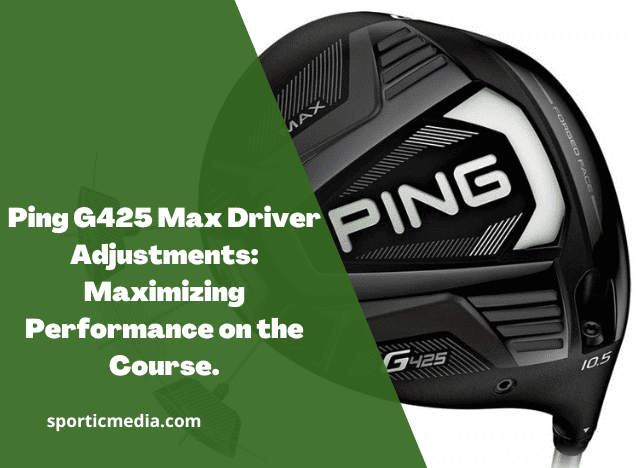
The PING G425 MAX driver is built around forgiveness, stability, and adjustable ball flight. Its 460cc head combines a large, high-MOI design with a 26-gram movable tungsten rear weight and PING’s Trajectory Tuning 2.0 hosel, giving golfers several ways to change launch, spin, face angle, and shot shape.
The key to getting the most from the G425 MAX is not simply moving every adjustment until the ball looks better. The hosel and rear weight affect different aspects of the club’s delivery, so the best approach is to make one change at a time and evaluate the resulting ball flight.
Table of Contents
PING G425 MAX Driver Adjustments at a Glance
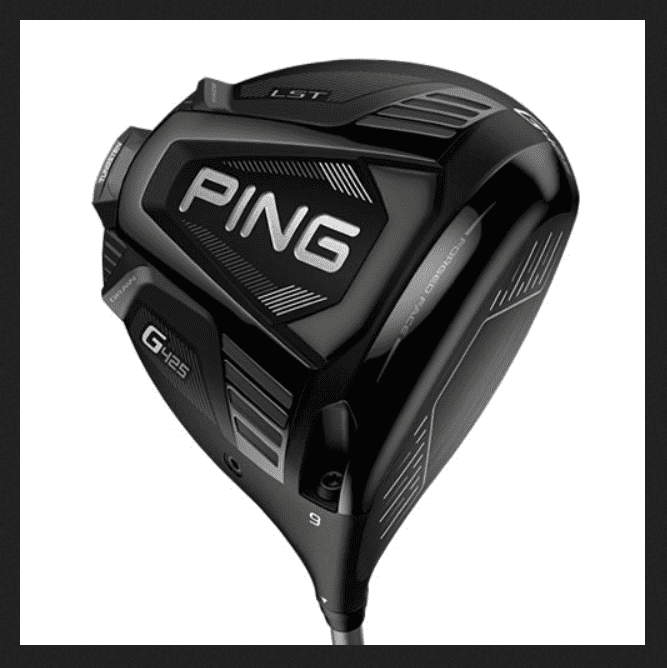
If you need the quick answer, these are the main adjustments available on the G425 MAX:
| Adjustment | Available Settings | Primary Effect |
|---|---|---|
| Loft | ±1.5° | Changes launch and spin |
| Lie | Up to 3° flatter through hosel settings | Influences starting direction and face presentation |
| Rear weight | Neutral, Draw, Fade | Changes CG location and shot shape |
| Shaft | Multiple options | Changes launch, spin, feel and timing |
| Back weight | 26g standard | Controls CG and contributes to high MOI |
The G425 MAX was offered in 9°, 10.5°, and 12° heads, with the hosel providing approximately ±1.5° of loft adjustment. The 26g rear tungsten weight can be positioned in Neutral, Draw, or Fade settings.
What Should You Adjust First?
For most golfers, the recommended order is:
- Start with the correct loft.
- Establish a neutral rear-weight position.
- Test your ball flight.
- Adjust loft if launch or spin is incorrect.
- Adjust the rear weight if your directional pattern needs help.
- Recheck the result on a launch monitor if possible.
This avoids confusing a loft problem with a face-angle or CG problem.
How the PING G425 MAX Hosel Works
The G425 MAX uses PING’s Trajectory Tuning 2.0 hosel system.
The adjustable sleeve changes both loft and lie angle. Because the adjustment changes the orientation of the head relative to the shaft, increasing or decreasing loft can also alter how the face appears at address.
G425 MAX Loft Adjustment
The standard G425 MAX heads are:
- 9°
- 10.5°
- 12°
With ±1.5° of adjustment, the approximate loft ranges are:
| Starting Loft | Lower Setting | Higher Setting |
| 9° | 7.5° | 10.5° |
| 10.5° | 9° | 12° |
| 12° | 10.5° | 13.5° |
These are the nominal loft changes available from the hosel. Actual delivered loft can vary because of manufacturing tolerances and the golfer’s setup and impact conditions.
What Happens When You Add Loft?
Adding loft generally produces:
- Higher launch
- More dynamic loft
- More backspin
- A higher peak trajectory
- Potentially more carry
It can also change the way the face looks at address.
For a golfer hitting low, flat drives, adding loft is usually the first adjustment worth testing.
What Happens When You Reduce Loft?
Reducing loft generally produces:
- Lower launch
- Less dynamic loft
- Lower spin
- A more penetrating flight
However, lowering loft is not automatically a distance improvement.
If you already struggle to launch the ball, reducing loft can make the problem worse.
PING G425 MAX Hosel Settings Chart
The exact sleeve markings should always be read from the club itself because the visual orientation of the settings can be confusing when the shaft is removed.
The practical fitting effects can be summarized as follows:
| Desired Ball Flight | Adjustment to Test |
| Higher launch | Increase loft |
| Lower launch | Decrease loft |
| More spin | Increase loft |
| Less spin | Decrease loft |
| More upright presentation | Use the appropriate upright hosel setting |
| Flatter presentation | Use a flatter setting |
| Reduce a right miss | Test Draw weight position |
| Reduce a left miss | Test Fade weight position |
The important point is that the hosel and rear weight are not interchangeable adjustments.
The hosel primarily changes loft and lie. The rear weight changes the location of the center of gravity and therefore influences shot shape and stability.
PING G425 MAX Weight Settings Explained
One of the defining features of the G425 MAX is its 26-gram tungsten rear weight.
PING increased the weight substantially compared with the movable weight used in the previous G410 Plus, allowing the G425 MAX to maintain very high stability while still offering CG adjustment.
The weight has three primary positions:
- Neutral
- Draw
- Fade
Neutral Weight Setting
The Neutral position is the best starting point for most golfers.
It gives you a relatively balanced CG configuration without deliberately biasing the club toward either side.
Use Neutral when:
- Your dispersion is reasonably centered
- You are unsure which setting you need
- You want to evaluate the club without a shot-shape bias
- You are testing loft changes
Draw Weight Setting
Moving the weight toward the heel shifts the CG toward the heel and encourages more right-to-left curvature for a right-handed golfer.
This can be useful if your normal miss is:
- Push
- Push-fade
- Slice
- Weak block
Independent testing of the G425 MAX found a measurable change in side-spin and dispersion when the weight was moved into the Draw position.
However, the Draw position is not a substitute for fixing a severe slice.
If your clubface is substantially open at impact, a weight adjustment cannot completely overcome the underlying delivery.
Fade Weight Setting
The Fade position moves the CG toward the toe side of the adjustment track.
For a right-handed golfer, this can encourage a more left-to-right flight or reduce the tendency for the ball to turn over.
It can be useful for golfers who:
- Hook the ball
- Overdraw the driver
- Start the ball left
- Want additional left-side protection
G425 MAX Weight Setting Comparison
| Weight Position | Right-Handed Golfer | Best For |
| Neutral | Balanced | Straight or predictable ball flight |
| Draw | More right-to-left tendency | Slice/push miss |
| Fade | More left-to-right tendency | Hook/draw miss |
The amount of curvature you actually produce depends on your swing path, face angle, impact location and clubhead speed.
Best PING G425 MAX Settings for Different Golfers
There is no universal “best” G425 MAX setting. The optimal configuration depends on your launch and dispersion.
Best Setting for a Slice
If your normal miss is a slice, start with:
Recommended starting setup:
- 10.5° head
- Slightly increased loft if launch is low
- Draw weight position
The important distinction is that loft and weight solve different problems.
If your slice is accompanied by a very low launch, increasing loft may help more than simply moving the weight.
If your launch is already good but the ball consistently finishes right, test the Draw position.
Best Setting for a Hook
If you frequently hook the driver:
- Start with Neutral
- Test Fade if the hook remains
- Avoid excessive loft increases if they worsen the left miss
A golfer with a strong right-to-left pattern may benefit from the Fade position because it provides additional left-side protection.
Best Setting for Maximum Distance
There is no single loft that produces maximum distance for every golfer.
The goal is to find the combination of:
- Ball speed
- Launch angle
- Spin rate
- Angle of attack
- Strike location
- Dispersion
that produces the best overall result.
For many golfers, the 10.5° head provides a useful fitting starting point because it offers enough loft adjustment in both directions.
Best Setting for High Launch
If your driver launches too low:
- Increase loft.
- Check tee height.
- Check ball position.
- Evaluate strike location.
- Consider a higher-launch shaft if necessary.
Don’t immediately change the rear weight.
The rear weight is primarily a CG and shot-shape adjustment.
Best Setting for Low Spin
If your spin is too high:
- Check strike location.
- Test lower loft.
- Evaluate shaft fit.
- Test the appropriate weight position.
- Confirm the change with launch-monitor data.
A low-spin setting is not automatically better.
Too little spin can reduce carry and make the ball difficult to keep in the air.
PING G425 MAX Settings for Common Ball Flights
| Ball-Flight Problem | First Adjustment | Second Adjustment |
| Low and right | Add loft | Test Draw |
| High and right | Test Draw | Evaluate face/path |
| Low and left | Add loft only if launch is insufficient | Test Fade |
| High and left | Reduce loft | Test Fade |
| Straight but too low | Add loft | Check strike |
| Straight but too high | Reduce loft | Check spin |
| Push | Test Draw | Check face angle |
| Hook | Test Fade | Check face-to-path |
| Excessive spin | Reduce loft | Check strike and shaft |
| Insufficient spin | Add loft | Check delivery and shaft |
This table should be treated as a starting-point fitting guide, not a guarantee of the resulting shot shape.
How to Adjust the PING G425 MAX Driver Safely
Changing the G425 MAX settings is straightforward, but the adjustment should be made correctly.
Step 1: Loosen the Hosel Screw
Use the appropriate PING torque wrench and loosen the screw securing the shaft to the clubhead.
Do not force the screw if it does not release normally.
Step 2: Remove the Shaft
Once sufficiently loosened, separate the shaft from the clubhead.
Keep the components clean and avoid damaging the sleeve.
Step 3: Select the Desired Setting
Rotate the shaft/sleeve to the required position.
The adjustment system changes the loft and lie relationship according to the selected setting.
Step 4: Reinstall the Shaft
Insert the shaft correctly into the head.
Make sure the sleeve is properly seated.
Step 5: Tighten the Screw
Tighten using the appropriate PING wrench until the wrench reaches its designed torque release.
Do not attempt to overtighten the screw manually.
Step 6: Test the Ball Flight
Hit several shots rather than judging the setting from one swing.
Ideally, compare:
- Carry
- Total distance
- Launch
- Spin
- Ball speed
- Start direction
- Dispersion
How to Choose the Right G425 MAX Loft
9° G425 MAX
The 9° version is generally more appropriate for golfers who already launch the ball sufficiently high or produce substantial spin.
It can be useful for:
- Faster swing speeds
- Higher-launching players
- High-spin players
- Golfers seeking a penetrating flight
10.5° G425 MAX
The 10.5° model is the most versatile starting point.
It provides enough loft to accommodate a broad range of swing characteristics while still allowing adjustment in both directions.
For a golfer buying a G425 MAX without being professionally fitted, 10.5° is often the safest starting point.
12° G425 MAX
The 12° model is designed for golfers who need additional launch.
It can be especially useful for:
- Moderate swing speeds
- Golfers who struggle to launch the ball
- Players with a shallow or inefficient launch condition
- Golfers who need more carry
The right choice ultimately depends on delivered loft and impact conditions rather than swing speed alone.
G425 MAX Driver Specifications
The G425 MAX is a 460cc driver with a large head profile designed around stability and forgiveness.
| Specification | G425 MAX |
| Head size | 460cc |
| Stock lofts | 9°, 10.5°, 12° |
| Loft adjustment | ±1.5° |
| Rear weight | 26g tungsten |
| Rear-weight settings | Neutral, Draw, Fade |
| Hosel system | Trajectory Tuning 2.0 |
| Primary design goal | High MOI and forgiveness |
| Standard stock shaft options | Vary by market and build |
The 26g rear weight is one of the defining engineering features of the MAX head. PING’s G425 design combined the high-MOI philosophy of the G400 MAX with the adjustable CG concept introduced in the G410 Plus.
PING G425 MAX Adjustment Mistakes to Avoid
Changing Too Many Settings at Once
If you change loft, lie, weight and shaft simultaneously, you won’t know which change produced the result.
Change one variable at a time.
Automatically Using Draw Mode to Fix a Slice
The Draw setting can influence the ball’s curvature, but it does not repair a fundamentally poor swing delivery.
Use it as a fitting adjustment rather than a swing correction.
Lowering Loft to Chase Distance
Lowering loft can reduce spin, but it can also reduce launch.
A driver with too little spin and too little launch can actually lose carry distance.
Ignoring Strike Location
Before making major hosel changes, check where you are hitting the face.
A heel strike can produce very different launch and spin characteristics from a centered strike.
Using the Heaviest Possible Weight
The standard G425 MAX uses a 26g rear weight, and aftermarket or replacement weights are available in other sizes. PING currently lists G425 replacement tungsten weights from 14g through 35g. PING states that every additional 2g of head weight changes swing weight by approximately one point.
Changing the weight therefore changes more than CG.
It also changes the club’s overall mass and swing weight.
Unless you have a specific fitting reason, keep the standard weight.
PING G425 MAX vs G425 LST and SFT
The G425 family contains three distinct driver designs.
| Model | Head Size | Weight Design | Primary Purpose |
| G425 MAX | 460cc | 26g movable | Maximum forgiveness and adjustable shot shape |
| G425 LST | 445cc | 17g movable | Lower spin |
| G425 SFT | 460cc | 23g fixed heel weight | Draw-biased flight |
The G425 MAX is the most versatile of the three because it combines high MOI with a movable rear weight.
The LST is designed for golfers who need lower spin, while the SFT is designed primarily to help golfers who miss to the right.
Are PING G425 MAX Adjustments Worth Using?
Yes, but only if the adjustments are used deliberately.
The G425 MAX is particularly effective because the golfer can address different problems with different mechanisms:
- Loft for launch and spin
- Lie for setup and directional influence
- Rear weight for CG and shot shape
- Shaft for overall delivery and feel
That makes it much more useful than simply having a driver with one adjustable feature.
The G425 MAX also remains relevant as a used driver because its core design objective—high stability and predictable dispersion—does not become obsolete simply because newer PING generations exist.
Best Starting Settings for the PING G425 MAX
If you have no launch-monitor data and want a sensible baseline, start here:
| Golfer Type | Starting Loft | Weight |
| Faster/high-spin golfer | 9° or 10.5° | Neutral |
| Average golfer | 10.5° | Neutral |
| Moderate-speed/high-launch golfer | 10.5° | Neutral |
| Moderate-speed/low-launch golfer | 12° | Neutral |
| Slice-prone golfer | 10.5° | Draw |
| Hook-prone golfer | 10.5° | Fade |
These are starting points, not prescriptions.
Your best setting is the one that produces the most useful combination of carry, total distance and dispersion.
PING G425 MAX Adjustment FAQ
How much can you adjust the loft on a PING G425 MAX?
The G425 MAX hosel provides approximately ±1.5° of loft adjustment from the stated head loft. The available heads are 9°, 10.5°, and 12°.
What does the Draw setting do on a G425 MAX?
The Draw setting moves the rear tungsten weight toward the heel and can encourage more right-to-left curvature for a right-handed golfer.
What does the Fade setting do?
The Fade position moves the CG toward the toe side of the weight track and can help reduce a strong right-to-left ball flight.
What is the best G425 MAX setting for a slice?
Start with the Neutral position and establish your launch first. If the ball consistently finishes right, test the Draw position. If the shot is also too low, increasing loft may be more beneficial than changing the weight alone.
What is the best G425 MAX setting for distance?
There is no universal setting. The best configuration is the one that optimizes launch, spin, ball speed and strike quality for your swing.
Should I use the Draw setting if I slice?
You can test it, but don’t treat the Draw setting as a cure for a slice. A severe slice is usually caused by the relationship between the clubface and swing path, and equipment adjustments can only influence that relationship to a limited extent.
Is the G425 MAX a high-spin driver?
The G425 MAX is primarily designed around high stability and forgiveness. Compared with the G425 LST, it is the higher-spin option; the LST was specifically designed to reduce spin.
Final Verdict: Maximizing PING G425 MAX Performance
The PING G425 MAX driver adjustments give golfers a practical way to tune launch, spin, lie and shot shape without changing the entire club.
The most important adjustment principles are simple:
Use loft to control launch and spin. Use the rear weight to influence shot shape and CG. Use the shaft to optimize the overall delivery.
For most golfers, the best approach is to start with the standard 10.5° head and Neutral weight position, establish a baseline, and then make one adjustment at a time.
If you need more launch, increase loft. If you need less launch or spin, reduce loft. If your dispersion consistently favors one side, experiment with the Draw or Fade weight position.
The G425 MAX’s combination of a 460cc head, 26g movable tungsten weight and adjustable hosel is what makes it such a versatile driver. Even though newer PING drivers have since introduced additional technologies, the G425 MAX remains a strong option for golfers who value forgiveness, stability and adjustable shot shape.
Best overall starting setup: 10.5° loft, Neutral weight, correctly fitted shaft.
Best for slicers: 10.5° with the Draw weight as a starting experiment.
Best for high-launch/high-spin golfers: 9° or 10.5° with reduced loft, subject to launch-monitor confirmation.
Best for low-launch golfers: 10.5° or 12° with increased loft.
The goal should not be to find the setting that looks best on paper. It should be to find the configuration that produces the best launch conditions and the tightest useful dispersion for your swing.
Discover the meticulous and expert-driven process behind our product reviews at Sportic Media. Our comprehensive guide, led by industry veterans, ensures you get the most reliable and detailed insights into golf equipment. Dive into our methodical approach by visiting How We Test Products at Sportic Media: A Comprehensive Guide
.